
'I'm an IT expert - these are the 5 creepy signs you've fallen victim to a cyber attack'
Cyber attacks are a real threat to all of us in 2025 🚨
- Cyber attacks are a real risk to all of us in 2025.
- Experts warn that they will only get worse in the future.
- But what are the creepy signs you should never ignore!
An expert is sounding the alarm about the creepy signs that you have just been the victim of a cyber attack. It comes amid warnings that such incidents are only going to rise over the coming years.
Living in 2025, having your devices hacked remains a true risk. Simply clicking the wrong link in an email or text could have disastrous consequences.
Spotting unauthorised transactions on your bank account might be one of the most obvious signs that you have been compromised, there are other, more bizarre signs to be aware of. Luke Stevenson, Cyber Security Specialist at IT and cybersecurity service provider, Redcentric, shares some of the most unusual - and one particularly creepy - signs that indicate that your data may have been compromised.
The National Audit Office warns that cyber attacks can have “devastating effects on government organisations, public services, and people’s lives”.
Something strange is going on with your laptop
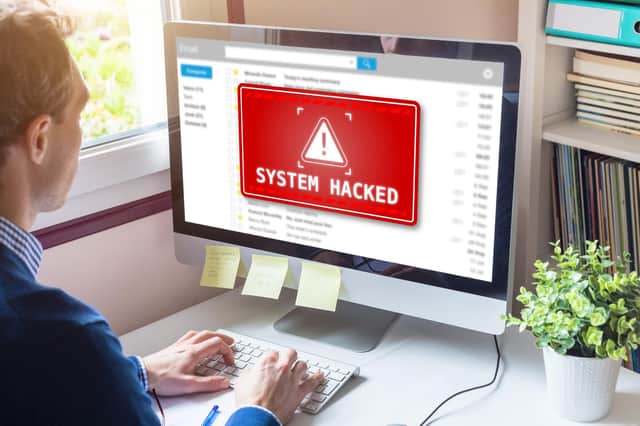

He said: "In some cases, hackers can remotely control your laptop, in which case you may see random mouse movements on your screen while you're working or words appearing when you're not typing. In extreme cases, hackers can gain access to your camera and control it remotely.”
One example Luke gives is if you start to notice that your webcam light is on whilst you're not on a video call. Hackers may do this as a way of spying on you in order to gain access to your personal files and data.
"If you're witnessing something unusual whilst personally engaged online, or if something generally doesn't feel right, it probably isn't and needs checking out,” he explained.
You have noticed some unusual apps on your phone
It is not just your computer that is at risk from cyber attacks, your phone may also be susceptible. We have previously detailed the QR scam known as quishing, read more here.
Luke explained: "Be aware of any unusual or suspicious looking apps appearing on your phone as hackers may install malicious apps in the hopes that they will go unnoticed. It's easy not to notice this kind of activity, especially if you're someone who doesn't keep their apps updated and organised.”
He also advises that if you keep seeing apps opening even when you’ve closed them down, it could be a sign of something wrong.
Family and friends have had odd messages from you
If your family members suddenly start to get very strange messages from you, this could also be a sign of a cyber attack. Luke explains: "It's possible for hackers to manipulate the sender ID of a text message so that it appears like the message was sent from a different phone, and hackers can use this method to send phishing messages to people you know.
“These messages may seek the person's help, usually by asking for money, and may include malicious links or downloadable files.”
He also advises that if people start to notice any out-of-character posts on social media, you should report this and immediately change your login details as a precaution. If you have used social media platforms like X (formerly Twitter) regularly, you may have seen accounts you follow being taken over by scammers in hack attacks.
An increased number of reported login failures
Another sign of potential cyber attacks if you start to get notifications about a number of reported login failures. Or if you receive a report of a login attempt from a place you don’t recognise.
Luke said: "Noticing a recent increase in login failures on your email or social media's activity or security page could be a sign that you're being targeted by hackers who are trying to access your account. Also, take note of a sudden increase in irrelevant advertising spam messages or emails."
Redirected internet searches
A particularly sinister one to watch out for is the so-called 'browser hijacker' attacks. Luke explained: “(It) is a malware that fraudulently redirects the user to a website that they weren't intending to visit. These websites are often malicious and contain suspicious links, downloads or pop-ups that aim to steal personal data."
How can you protect yourself online?
Explaining why we’re seeing an increase in cyber attacks, Luke said: “As a society, we are becoming increasingly more digitised. Many of us work from home with a remote digital infrastructure and live much of our social lives in the virtual domain.
“Most of our transactions are now digital, and criminals have developed their tactics in line with this; this is why they go hunting for our credentials."
Whilst cyber attacks remain a real threat, there are some steps you can take to better protect yourself and your personal data. Here are the actions the expert recommends taking:
Never reuse passwords for multiple accounts
He said: “You shouldn’t ever reuse passwords as this risks the security across multiple accounts. This includes passwords that are largely similar, such as anything with a number or symbol added to the end.
“Many people will use patterns that are memorable, as this allows them to easily create and remember different variations of passwords for each site. However, scammers may be able to decipher this pattern after observing one or more compromised passwords.
“The NCSC provides useful advice on how to secure your personal accounts and adopt a more robust approach to managing passwords. Consider using multi-factor methods to authenticate access to your account too, don’t just rely on passwords for regular access.”
Regularly check to see if your accounts are compromised
Luke advises that you should regularly check to see if your accounts could have been compromised. He explained: “Stay vigilant and be aware of any data breaches that your accounts may be involved in.
“This will indicate that you need to change your password and also highlight any other information that could be easily accessible to attackers, such as addresses and credit card information. Have I Been Pwned is a useful free tool that helps you to identify any data breaches you may have been involved in by entering your email address.”
Use a password manager to create complex passwords
According to a recent study, 77% of people in the UK don’t use a password manager and 23% save their passwords in their browser. Luke adds: “It’s extremely important that all passwords are stored safely, either in a secure password manager or a document that requires two-factor authentication in order to be accessed. Storing your passwords in any insecure place that doesn’t itself require a password to access could result in them being stolen very easily.”
Be careful not to share any financial information on social media
He said: “You shouldn’t ever expose any financial information on social media as you don’t know who could see this. For example, posting on LinkedIn about how much budget you’re responsible for at work is going to attract cyber criminals.
“In your personal life, avoid sharing any information that could indicate your income or financial situation. For example, sharing updates about expensive new purchases such as cars, a new house or jewellery. If you do really want to share this kind of information, ensure your social profiles are private and consider sharing only with close friends and family that you trust.”
Learn about the dangerous QR code scam: Quishing. Find out how to spot the signs you are at risk.