
How to set The News, Portsmouth as one of your Preferred Sources in Google

By Tom Morton
Published 19th Mar 2026, 11:27 BST
Here’s a way to make sure you don’t miss anything that is happening in and around Portsmouth.
Google has rolled out its Preferred Sources feature to the UK, after starting it in the US and in India.


The idea is that you can customise the results that come up in your Top Stories box in Google Search, choosing the publishers that are most relevant to you.
Explaining the move, Google has said: “When you select your preferred sources, you’ll start to see more of their articles prominently displayed within Top Stories, when those sources have published fresh and relevant content for your search.”
Updating your Preferred Sources settings is easy
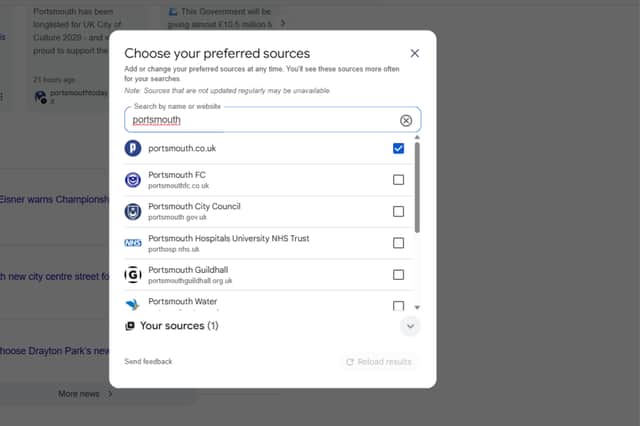
- Search for “Portsmouth news” in Google and scroll down to where it says Top Stories.
- Click on the icon next to that header - it’s a black square with a small white star in it
- Search for and then tick the box next to portsmouth.co.uk
And it’s done. When you next search Google, you should see more stories from The News in that section, but you will still see news from other sources. You can choose as many sources as you like.